

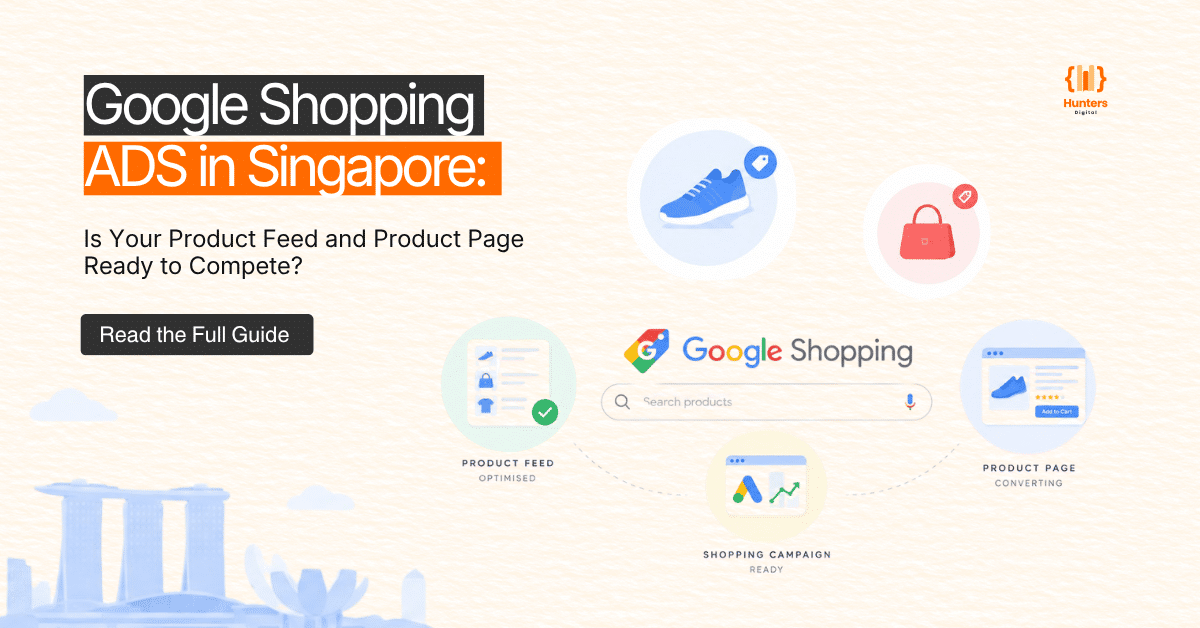
Most Singapore ecommerce businesses approach Google Shopping the same way: set up a Merchant Center account, upload the product feed, configure a campaign, and start bidding. Then they wait for results that often don’t come – or worse, arrive as a stream of clicks that don’t convert.
The problem is rarely the channel itself. Google Shopping can generate consistent, measurable revenue for Singapore retailers. The problem can often be traced to one or more of three areas: a weak product feed, a product page that does not convert effectively, or a campaign structure that wastes spend before a meaningful pattern can emerge.
This guide covers what needs to be ready before you commit serious budget to Google Shopping – and what to audit if your current campaigns aren’t delivering the return you need.
What Google Shopping Actually Requires Before You Set a Budget
Google Shopping is not a search ad. There is no keyword bidding in the traditional sense – Google decides when to show your product listing based on the data you provide in your product feed, combined with signals from your website and the broader auction context.
That means three things need to work together before spend makes sense:
- Your product feed must be complete, accurate, and optimised
- Your product pages must be capable of converting the traffic that arrives
- Your campaign structure must give Google enough data to optimise without burning budget on irrelevant queries
Skipping any of these creates a ceiling on what Shopping can produce – regardless of how much you spend.
The Product Feed: What Gets Checked and Why Most Feeds Underperform
Your product feed is the foundation of every Google Shopping campaign. It tells Google what you’re selling, how much it costs, whether it’s in stock, and whether it’s likely to match what a shopper is searching for.
A poorly configured feed results in lower impressions, worse ad placement, and higher effective CPCs. It also causes Merchant Center disapprovals that take your products entirely out of the auction.
Product Feed Essentials: The 8 Attributes That Directly Affect Your Ad Quality
| Attribute | What Google Checks | Common Issue | Impact if Wrong |
| Title | Keyword relevance, brand, size, colour | Generic titles like “Blue T-Shirt” | Low match rate, poor impressions |
| Description | Supporting detail, search match | Copied from product page, not optimised | Missed query coverage |
| Price | Accuracy vs. landing page | Mismatch between feed and page | Merchant Center disapproval |
| Availability | Real-time stock status | Out-of-stock items still live | Wasted spend, poor experience |
| GTIN / MPN | Product identity for known items | Missing GTINs on branded products | Lower placement priority |
| Images | Quality, background, product clarity | Lifestyle images, text overlays | Lower CTR, possible rejection |
| Shipping | Accurate cost shown to shopper | Missing or incorrect shipping data | Cart abandonment, rejection |
| Product Type | Helps Google categorise correctly | Left blank or too broad | Wrong auction placement |
Title and Description Optimisation: Matching the Way Singapore Shoppers Search
Product titles are among the highest-impact elements you can optimise in a Shopping feed. Google reads your title to determine which search queries your listing enters the auction for.
For Singapore ecommerce, titles should typically follow this structure: Brand + Product Type + Key Attributes (size, colour, material, model) + Singapore-specific context where relevant. A generic title like “Ergonomic Chair” will match far fewer queries than “ErgoComfort Pro Ergonomic Office Chair Black Lumbar Support Singapore.”
Descriptions matter less than titles for matching, but they support relevance scoring and provide Google with additional context for edge-case queries.
Product Page Readiness: The Conversion Gap That Kills Shopping ROAS
Google Shopping drives highly intent-rich traffic. A shopper who clicks your product listing has already seen your image and price – they’re one step from purchasing. If your product page isn’t ready to convert that intent, you’re paying for traffic that leaves immediately.
Page Speed and Mobile Experience: Why Your Product Page Might Be Costing You More Than Your Bids
Mobile users represent a large share of Shopping traffic. Research consistently shows that slow-loading pages increase abandonment – the faster your product page loads on mobile, the more likely a visitor is to stay and purchase.
Check Core Web Vitals for your product pages specifically – not just your homepage. A slow product page in an otherwise fast store is one of the most common causes of Shopping underperformance.
Price Competitiveness and Trust Signals: What Makes a Shopper Click and Convert
Singapore shoppers using Google Shopping are often comparison-shopping across multiple listings simultaneously. Your product page needs to address the objections that prevent a purchase: Is this seller trustworthy? Is this price reasonable? Will this arrive on time? Can I return it easily?
Clear pricing, visible shipping timelines, return policies, and genuine product reviews are not optional extras. They’re conversion essentials for Shopping traffic.
Campaign Structure: How Singapore Retailers Set Up Shopping Campaigns That Scale
The most common structural mistake in Singapore Shopping campaigns is treating the entire product catalogue as a single campaign with uniform bids. This approach is simple to set up but prevents meaningful optimisation.
A more effective approach separates products into campaign groups based on:
- Margin – high-margin products justify higher bids
- Conversion history – proven converters can scale more aggressively
- Inventory depth – limited stock items need bid controls
- Seasonal performance – some product groups warrant dedicated campaigns during peak periods
This segmentation gives you control over where budget goes and allows Google’s algorithm to optimise within meaningful performance boundaries.
Performance Max vs. Standard Shopping: Which Approach Singapore Retailers Should Use
| Performance Max (Shopping) | Standard Shopping |
| Google’s automated campaign type combining Shopping, Display, YouTube and Search inventory | Shopping-specific campaign with direct control over product groups and bidding |
| Automated bidding and asset-based optimisation across Google’s network | Manual or automated bidding with direct campaign control |
| Requires conversion history to optimise effectively; limited query-level reporting | Full search term reporting and bid control; better for new accounts or tight budget management |
| Asset groups replace ad groups; broad audience signals guide targeting | Requires product group setup and negative keyword management |
| Suitable when ROAS target is clear, conversion data is established, and catalogue is mature | Suitable when learning what converts, testing feed quality, or managing spend at a granular level |
Google Merchant Center Singapore: Common Approval Issues and How to Prevent Them
Merchant Center disapprovals are one of the most frustrating and preventable causes of Shopping campaign downtime. The most common issues Singapore merchants encounter include:
- Price mismatch: The price in the feed doesn’t match the price displayed on the product page (including tax treatment and promotional prices)
- Policy violations: Products that fall under restricted categories – cosmetics making health claims, supplements, certain electronics – require additional compliance steps
- Landing page quality: Pages with popups, intrusive overlays, or missing payment information can be flagged
- Inaccurate availability: Advertising in-stock products that are actually out of stock or sold on backorder
- Image issues: Images with watermarks, promotional text, or poor resolution
Preventing these issues requires a regular feed audit – not just at launch, but on an ongoing basis as inventory changes and product pages are updated.
Measuring Google Shopping Performance: What the Numbers Should Tell You
ROAS (Return on Ad Spend) is the primary performance metric for Google Shopping. However, ROAS alone can be misleading if it’s calculated against revenue without accounting for margin, return rates, or fulfilment cost.
Alongside ROAS, track:
- Impression share: Are your products appearing for the queries you should be winning?
- Click-through rate by product group: Low CTR often signals a title or image issue
- Conversion rate by product page: Tells you whether traffic quality or page readiness is the issue
- Search term report: Which queries are triggering your listings – and which need to be excluded
When to Manage Google Shopping In-House vs. When to Bring In a Specialist
Small product catalogues with straightforward pricing and well-configured feeds can often be managed in-house using Performance Max or Standard Shopping with a clear ROAS target and defined conversion tracking.
A specialist agency becomes valuable when:
- Your catalogue has more than 200 SKUs with varying margins and seasonal patterns
- Your Merchant Center has recurring disapprovals or compliance issues
- Your Shopping campaigns are generating spend but not producing the return to justify continued investment
- You’re preparing for a peak trading period and need campaigns structured for scale
The value of specialist management isn’t the campaign setup – it’s the ongoing optimisation, feed maintenance, and performance interpretation that produces compound improvement over time.
Google Shopping Readiness Scorecard
| Area | What to Check | Status | Notes |
| Product Feed | Titles, descriptions, GTINs, prices, images, availability | ☐ Ready / ☐ Needs Work | |
| Merchant Center | Account approved, no active disapprovals, shipping configured | ☐ Ready / ☐ Needs Work | |
| Product Pages | Page speed, mobile experience, trust signals, pricing accuracy | ☐ Ready / ☐ Needs Work | |
| Campaign Structure | Product groups segmented, bids by margin/intent, negatives added | ☐ Ready / ☐ Needs Work | |
| Tracking | Ecommerce tracking, conversion actions, Revenue attributed | ☐ Ready / ☐ Needs Work | |
| Reporting | ROAS, impression share, CTR, search term report | ☐ Ready / ☐ Needs Work |
Conclusion
Google Shopping performance in Singapore doesn’t start with higher bids or a bigger budget. It starts with getting the fundamentals right. A well-optimised product feed, conversion-ready product pages, accurate Merchant Center setup, and a campaign structure built around your products and business goals can make a significant difference to how effectively your ad spend is used.
If your Shopping campaigns are generating clicks but not enough sales, the issue may not be your budget. Your product feed, landing pages, tracking, or campaign structure could be limiting performance.
Ready to improve your Google Shopping results in Singapore? Contact us today for expert help with Google Shopping Ads, product feed optimisation, and ecommerce performance.
Frequently Asked Questions
There’s no fixed cost for Google Shopping. You pay per click (CPC), and costs vary by product category, competition, and feed quality. Setting a daily budget and a target ROAS gives you a starting point, but optimising your feed and landing pages is what determines whether that spend produces a return.
Yes. Merchant Center is where you upload and manage your product feed. Your Shopping campaigns in Google Ads then draw from this feed to create product listings. Both accounts need to be linked, and your website needs to be verified and claimed in Merchant Center.
Common reasons include Merchant Center disapprovals, insufficient bid relative to competitors, low feed quality score, budget exhaustion, or products restricted by category policy. Check Merchant Center diagnostics first, then review your campaign settings and budget.
Target ROAS varies by category and margin. Many Singapore retailers target between 400% and 800% (4x to 8x return on ad spend), but a meaningful target for your business depends on your product margins, fulfilment costs, and customer lifetime value. Focus on profitable ROAS rather than a generic benchmark.
Yes. Shopify has a direct Google channel integration that can sync your product catalogue to Merchant Center automatically. However, the default integration often needs manual refinement – product titles, descriptions, and attributes frequently require optimisation before Shopping campaigns perform at their potential.
Initial data typically starts flowing within the first week. Meaningful performance patterns generally require several weeks of data, particularly when using automated bidding strategies such as Performance Max. Campaigns built on well-optimised feeds and product pages tend to reach stable performance faster than those launched with unchecked data.
