
You’ve set up your Google Business Profile. You filled in your business name, added your address, and maybe even uploaded a few photos. And then you waited.
But the calls never came. The enquiries dried up before they even started. And when you search for your own business on Google Maps, you’re buried somewhere on page two—or worse, you don’t show up at all.
If this sounds familiar, you’re not alone. Thousands of small and medium businesses in Singapore go through the same thing every month. They do the bare minimum on their Google Business Profile (formerly Google My Business or GMB), assume it’ll do the work for them, and then wonder why competitors are getting all the walk-ins and enquiries.
The hard truth? Setting up a GMB profile is just the starting line. Ranking it — and actually getting clients from it — requires a consistent, strategic approach. This guide breaks it all down in plain language so you can stop guessing and start showing up where your customers are looking.
What Is Google Business Profile and Why Does It Matter?
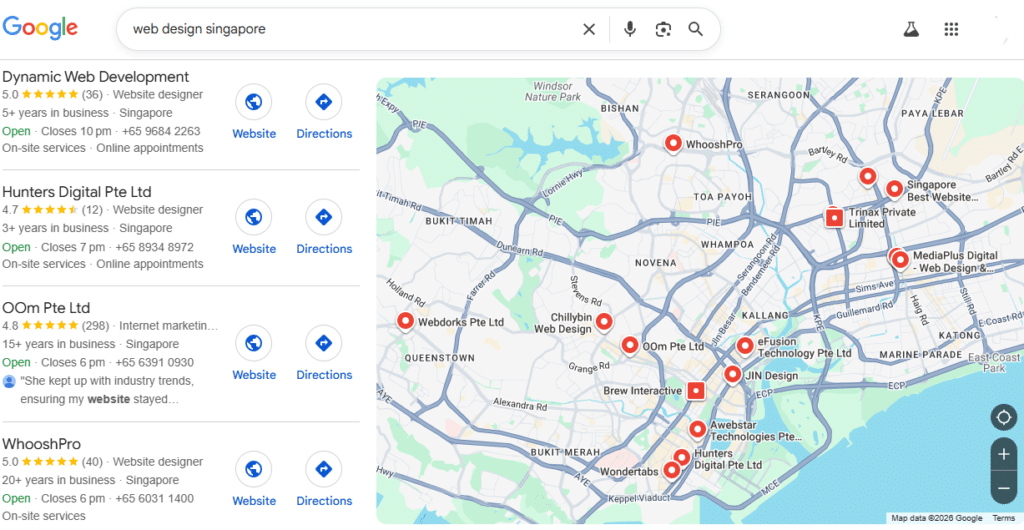
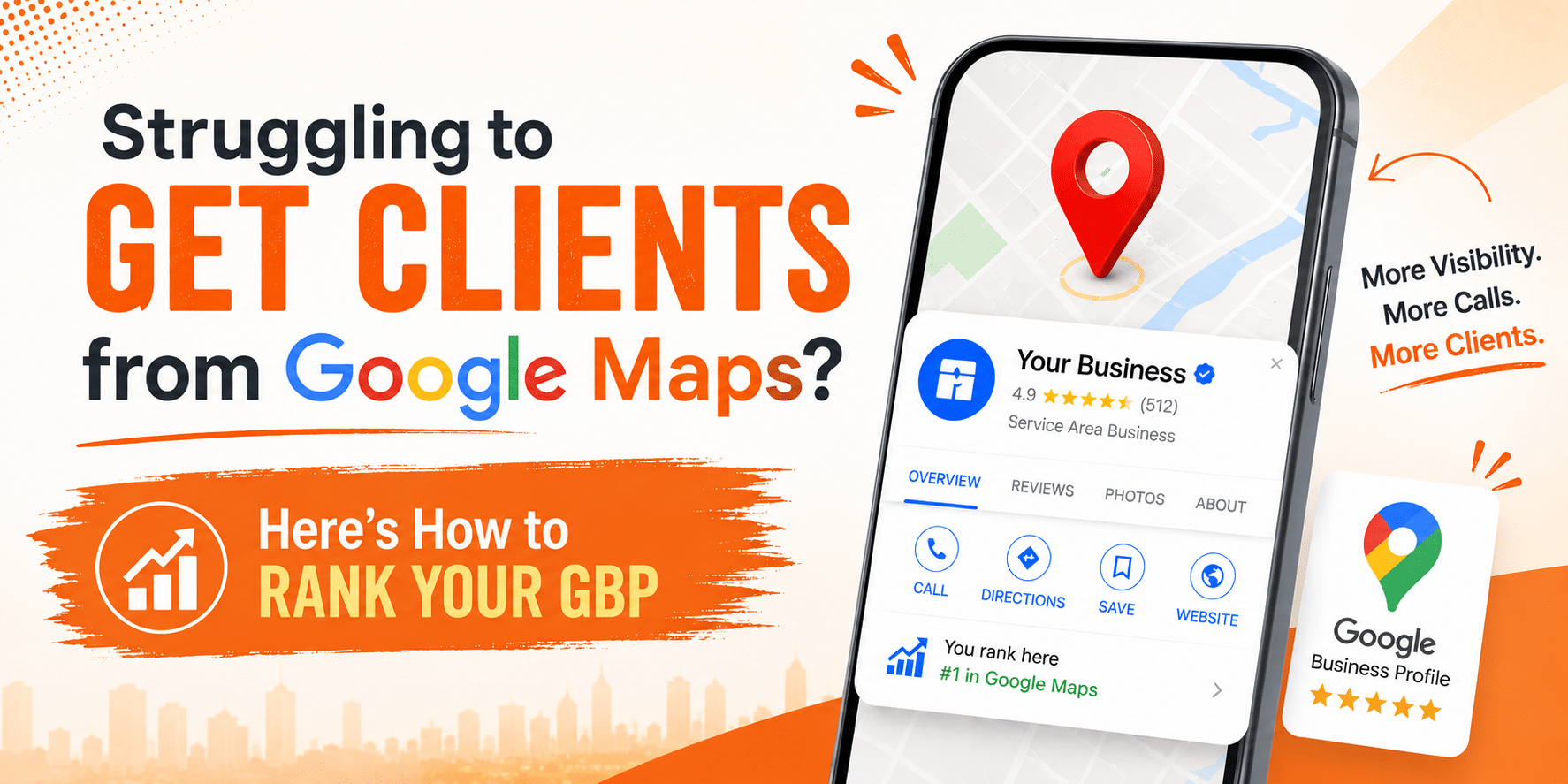
Google Business Profile (GBP) is the listing that appears when someone searches for a business or service near them. It’s that box on the right side of Google search results, or the cluster of three businesses that appears below the map—commonly called the Local Pack or Map Pack.
This real estate is incredibly valuable. Studies consistently show that the top three results in the Local Pack capture the majority of clicks for local search queries. If you’re a packaging company, a renovation firm, a dental clinic, or any business that serves a local area, not appearing in those top three spots means you’re handing potential clients directly to your competitors.
The good news? Unlike paid ads, ranking on Google Maps is free. You just need to know what you’re doing.
Why Your GMB Isn’t Ranking (The Real Reasons)
Before we talk about fixes, let’s get honest about why most businesses don’t rank. It’s rarely one big mistake—it’s usually a combination of small ones that add up.
- Your profile is incomplete: Google rewards businesses that give it more information to work with. If you’ve left sections blank — no business description, no services listed, no hours, no photos — Google has less reason to trust and rank your listing.
- You have zero or very few reviews: Reviews are one of the most powerful ranking signals for local search. A business with 40 reviews and a 4.7-star rating will almost always outrank a business with 3 reviews and a 4.2 rating, all else being equal.
- Your business information is inconsistent: If your phone number on your website doesn’t match what’s on your GMB, or your address is written differently across directories, Google gets confused. This inconsistency—called NAP inconsistency (Name, Address, Phone)—actively hurts your local rankings.
- You’re not posting or engaging: Google Business Profile has a Posts feature that works similarly to a social media feed. Businesses that use it regularly signal to Google that they’re active, relevant, and worth showing to searchers.
- You’re in a competitive area with stronger competitors: Some niches are simply more competitive. But even in tough markets, the optimisation strategies below can move the needle significantly.
How Google Maps Ranking Works
Google uses three primary factors to rank businesses:
1. Relevance
How well your business matches the search query.
2. Distance
How close your business is to the searcher’s location.
3. Prominence
How well-known and trusted your business is online.
You can’t control distance, but you can absolutely optimize relevance and prominence—and that’s where the real opportunity lies.
Step-by-Step: How to Actually Rank Your GMB and Get More Clients
Ranking your Google Business Profile isn’t about gaming the system — it’s about proving to Google that you’re the most relevant, trustworthy option in your area. These steps aren’t complicated, but they do require consistency. Work through them, stay active, and the results — more visibility, more calls, more clients — will follow.
Step 1: Fully Optimize Your Google Business Profile
Your first step is to ensure your listing is 100% complete and optimized.
Here’s what you need to complete:
- Business name — Use your real business name. Don’t stuff keywords into it (e.g., “Mike’s Plumbing — Best Plumber in Austin”). Google can penalize this.
- Category — Choose a primary category that accurately describes your core service. You can add secondary categories too. This is one of the most important ranking signals, so choose carefully.
- Address and service area — If customers come to you, list your address. If you go to them (like a mobile dog groomer), set a service area instead.
- Phone number and website — Make sure these are accurate and consistent with what’s on your website. Add your website URL and a booking link if you have one.
- Hours of operation — Keep these up to date, including holidays. Nothing frustrates a customer more than showing up at a closed business.
- Business description — You get 750 characters. Use them wisely. Write naturally, mention your services and location, and avoid sounding robotic.
This sounds basic, but the majority of businesses skip half of these steps. Completing everything puts you ahead of most of your local competition before you’ve done anything else.
Step 2: Upload High-Quality Photos Consistently
Google’s own data shows that businesses with photos receive significantly more direction requests and website clicks than those without. But this isn’t a one-time upload — it’s an ongoing habit.
Aim to add 4–6 new photos every month. These can include:
- Your products or finished work
- Your team and workspace
- Before-and-after shots
- Customer interactions (with permission)
- Your storefront or signage
Avoid stock photos. Google and your potential customers can both tell the difference, and authentic images build far more trust.
Consistency matters—upload new visuals weekly to signal activity to Google.
Step 3: Get More 5-Star Reviews (Strategically)
Reviews are one of the strongest ranking factors. There’s no polite way to say this: if you’re not actively asking for reviews, you’re not going to get enough of them. Most satisfied customers simply move on with their day. They need a nudge.
Build a simple review request process into your business:
- Send a follow-up WhatsApp or email after a job is completed with a direct link to your Google review page
- Train your front-line staff to mention reviews at the point of handover
- Add a QR code to your receipts, packaging, or thank-you cards that links directly to the review page
When reviews come in — good or bad — respond to every single one. A thoughtful, professional response to a negative review can actually improve how potential customers perceive you. It shows you care and that you’re accountable.
Important:
- Respond to every review (good or bad)
- Use keywords naturally in replies
Step 4: Post on Your GBP Weekly
Google Posts are short updates that appear directly on your business listing. Most businesses never use them. That’s your advantage.
Post weekly with content like:
- New products or services
- Promotions and limited-time offers
- Industry tips or advice
- Company news or milestones
- Before-and-after project highlights
Each post keeps your profile looking active and fresh, which matters to both Google’s algorithm and the humans browsing your listing.
Step 5: Use Keywords Strategically (Without Overdoing It)
Google Maps is a search engine, which means keywords still matter. But the approach is different from traditional SEO.
Weave relevant keywords naturally into your:
- Business description — Mention your core services and the city or region you serve.
- Google Posts — Include service-related terms organically in your updates.
- Responses to reviews — When you thank a customer, briefly reference the service you provided. (“Thank you for trusting us with your kitchen renovation!”)
- Q&A section — You can seed this section with frequently asked questions and answer them yourself. This is a sneaky but totally legitimate way to get keywords into your listing.
Step 6: Build Local Citations
A citation is any mention of your business online — whether on a directory, a news site, a blog, or a social platform. The more consistent and widespread these citations are, the more Google trusts that your business is legitimate and locally established.
Focus on:
- Local directories
- Business listing sites
- Industry-specific platforms
Ensure your NAP (Name, Address, Phone Number) is consistent everywhere.
Step 7: Optimize Your Website for Local SEO
Your GMB listing and your website work together. A strong website backs up your listing and helps Google confirm that you are who you say you are.
Key optimizations:
- Add location-based keywords
- Create city-specific landing pages
- Embed Google Map on the contact page
- Add schema markup
- Improve site speed and mobile experience
Common Mistakes That Kill Your GMB Rankings
Before wrapping up, here are some pitfalls to avoid:
- Keyword stuffing your business name — Google can and does penalise this.
- Ignoring negative reviews — They don’t go away. Address them professionally.
- Inconsistent business hours — Confuses both Google and potential customers.
- Duplicate listings — If you have more than one listing for the same business, merge or remove duplicates.
- Not verifying your listing — An unverified listing ranks much lower. Always complete verification.
Tracking Your GMB Performance
Use GMB Insights to monitor:
- Search queries
- Profile views
- Calls and clicks
- Direction requests
This data helps refine your strategy and improve ROI.
Conclusion
Ranking on Google Maps isn’t magic — it’s a method. Businesses that show up consistently in the local pack aren’t necessarily the biggest or the best-funded. They’re the ones that treat their Google Business Profile as a living, breathing marketing asset rather than a set-it-and-forget-it checkbox.
Start with the basics: complete your profile, clean up your citations, and ask your happiest customers for reviews. Then build from there—adding photos, posting updates, and earning local backlinks. Layer by layer, your visibility will grow.
And when your phone starts ringing from Google Maps? Remember that staying at the top requires the same consistency that got you there in the first place.
Ready to stop being invisible on Google Maps?
Contact Hunters Digital and get a free consultation today. Let the experts handle your GMB so you can focus on running your business — while the enquiries come to you.
FAQs
Google Business Profile is a free tool that allows businesses to manage how they appear on Google Search and Maps. It is crucial for local SEO because it directly influences visibility, credibility, and customer engagement.
Choose the category that best represents your primary service. For example, if you are a restaurant, select “Restaurant” instead of something generic like “Food Service.” You can add secondary categories for additional services.
There’s no exact timeline, but most businesses start seeing noticeable improvements within 4 to 12 weeks of consistently optimising their profile, building reviews, and creating citations. Highly competitive niches in major cities may take longer.
There’s no magic number, but more reviews than your immediate competitors is a good benchmark. If the top-ranked businesses in your area have 50–100 reviews, that should be your near-term goal. Focus on building reviews consistently over time rather than getting a flood all at once.
Google has confirmed that responding to reviews is considered a good practice and may positively influence local rankings. Beyond SEO, it also builds trust with potential customers reading your profile.

Suggested Articles
- Are LinkedIn Ads Worth It for Singapore B2B Companies? A Practical Budget, Offer, and Lead-Quality Framework
- Google Shopping Ads Singapore: Is Your Product Feed and Product Page Ready to Compete?
- Social Media Management in Singapore: The 90-Day Retainer Scope That Produces a Useful Content System – Not Just a Post Calendar
- Ecommerce SEO in Singapore: A Category-to-Product Discovery Blueprint for Stores Losing Organic Sales